For those who crave the satisfying click and tactile feedback of a mechanical keyboard, Apple’s sleek, minimalist offerings often fall short. The shallow key travel and uniform feel can leave typists longing for a more substantial experience. But finding a mechanical keyboard that truly complements the Mac ecosystem – one that doesn’t feel like an afterthought – can be a challenge.
Enter the Cherry KW 300 MX. This keyboard isn’t about flashy RGB lighting or gamer-centric aesthetics. Instead, it presents a sober, high-quality design with a distinctly retro vibe, reminiscent of classic Mac keyboards. Its grey keys and black housing exude a quiet confidence, suggesting a focus on substance over style.
The KW 300 MX embraces the popular 75% layout, meaning it forgoes the numeric keypad for a more compact footprint. This makes it ideal for smaller desks, allowing ample space for mouse movement. While similar in width to Apple’s Magic Keyboard without a number pad, it boasts a significantly taller profile – a characteristic that some may need time to adjust to.

Initial testing revealed a slight learning curve. The positioning of keys like the arrow cluster and Enter button differs from standard layouts. However, adjustable stands allow for personalized typing angles, mitigating discomfort. The keyboard effortlessly connects to up to four devices, including iPads, though its 750-gram weight makes it less suited for frequent travel.
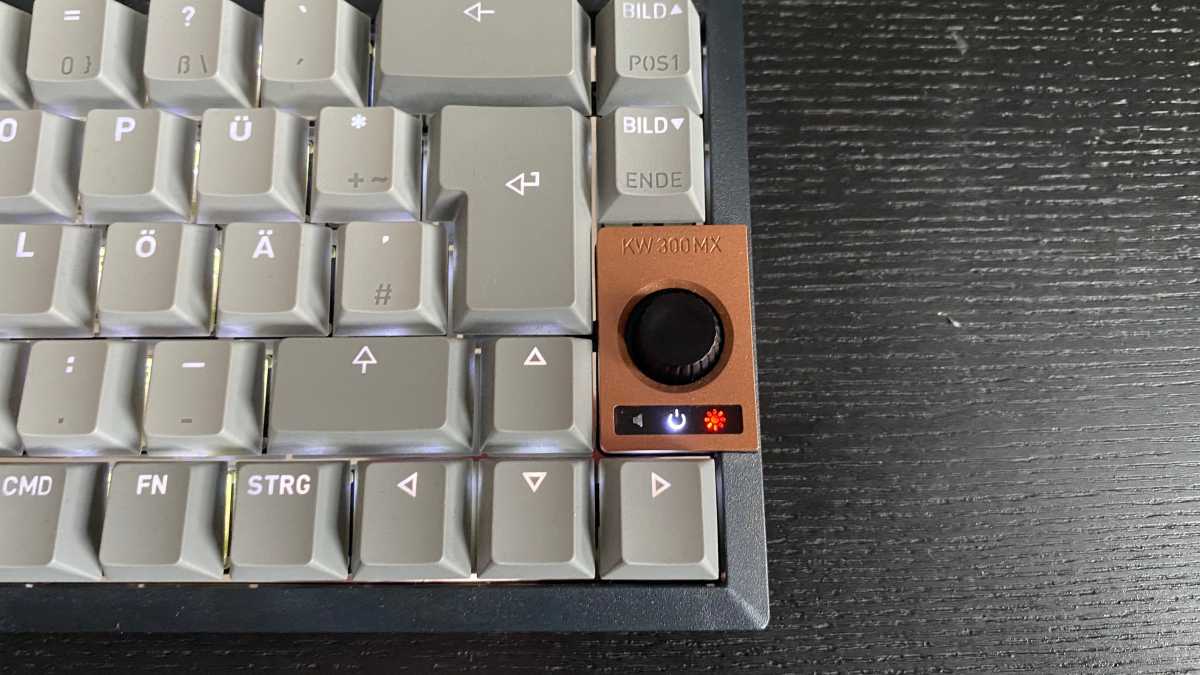
A striking rotary wheel adorns the side, doubling as a power button. Its bronze metal finish adds a touch of elegance. While functional – controlling keyboard brightness and volume – its limited scope feels like a missed opportunity. A more expansive range of customizable controls would have truly unlocked its potential.
The keyboard’s backlighting is bright and clear, complemented by red LEDs indicating configuration settings. Bluetooth channel selection is easily managed through the F1-F4 keys. Power is delivered via USB-C, offering both wired connectivity and charging capabilities. Cherry estimates a week of use with backlighting enabled, or up to six weeks without – a claim that may require judicious use of the backlight for most users.
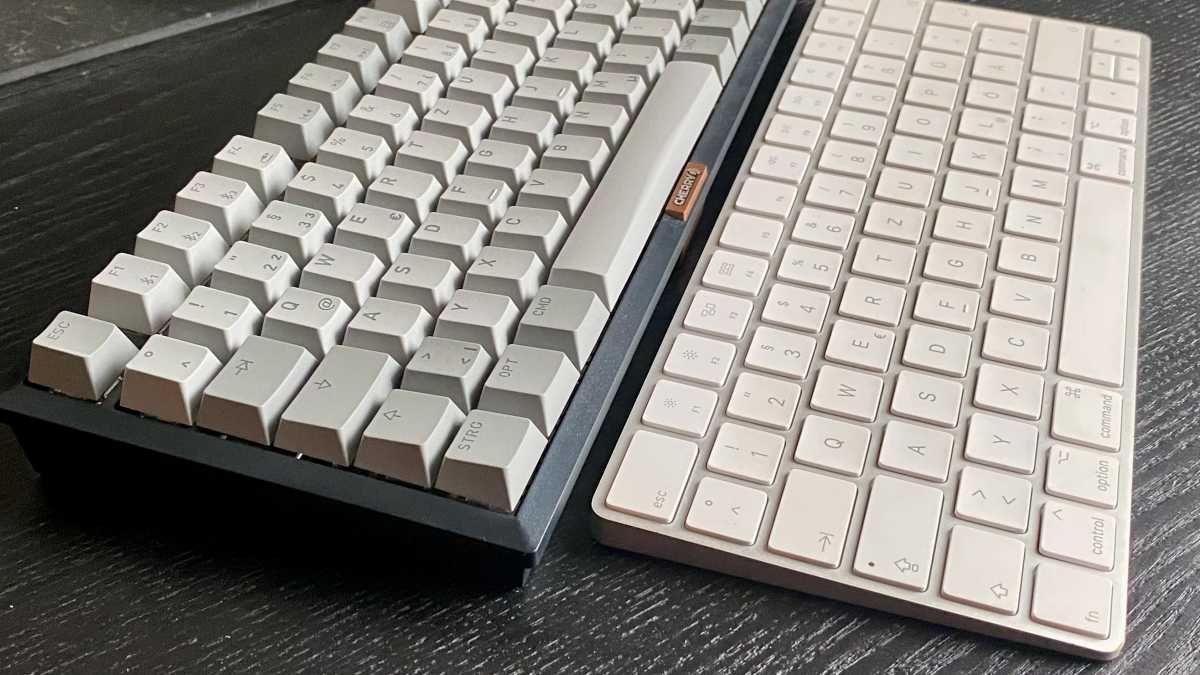
The true strength of the KW 300 MX lies in its typing experience. Many mechanical keyboards are notorious for their loud, disruptive clicks. However, Cherry offers the option of MX2A Silent Red switches, engineered in Germany to deliver a precise, first-class feel with remarkably reduced noise. Specialized housing insulation further dampens sound, creating a more considerate typing environment.
These switches provide approximately four millimeters of key travel, a significant departure from Apple’s shallow key presses. The tactile feedback is distinct yet softened by the insulation, striking a compelling balance between responsiveness and quiet operation. Cherry confidently promises a lifespan of up to 100 million keystrokes, suggesting exceptional durability.
Mac compatibility is thoughtfully addressed. A simple key combination (Fn + M) instantly switches the keyboard to Mac mode, remapping the Alt and Windows keys. This eliminates the need for manual reconfiguration within System Preferences. The keyboard even includes replacement keycaps and a specialized tool, allowing users to swap Windows keys for their Mac counterparts.
While the KW 300 MX excels in hardware, software support for Mac users is lacking. Cherry’s configuration software for function keys is currently exclusive to Windows, a notable omission. Despite this, the keyboard offers a compelling alternative to Apple’s flat keyboards, particularly for those who prioritize a tactile, precise typing experience without sacrificing quiet operation.
The Cherry KW 300 MX isn’t a perfect solution. Its compact layout and unique key positioning require adaptation. The rotary wheel’s limited functionality feels underutilized. However, for fans of mechanical keyboards seeking a refined, Mac-compatible experience, it represents a well-executed compromise – a keyboard that feels both familiar and refreshingly different.