
The weekend just got a little brighter. iOS 26.2 has arrived, and while it isn’t a sweeping revolution, it’s a collection of thoughtful refinements that will subtly transform your iPhone experience. Prepare for a series of delightful surprises woven throughout the system, enhancing how you interact with your device every single day.
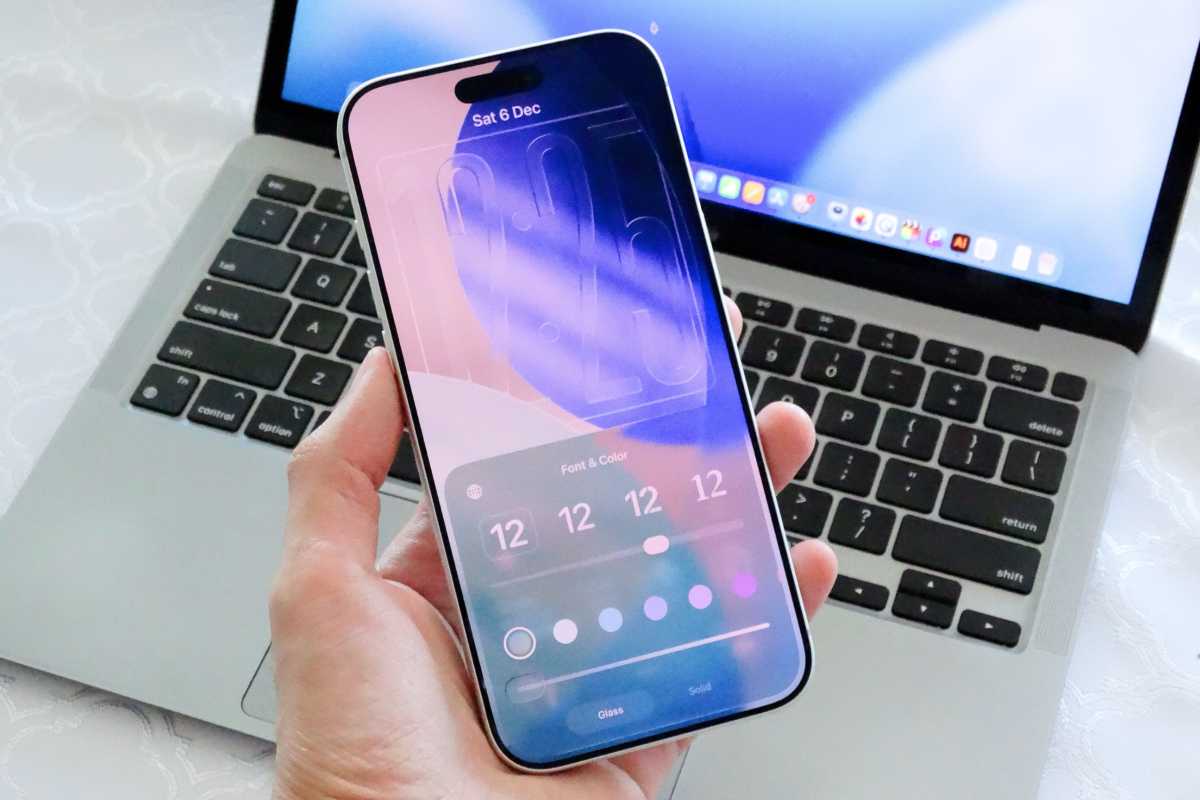
One of the most noticeable changes centers around Liquid Glass, Apple’s evolving design language. The Lock Screen now offers even more personalization. A new slider lets you fine-tune the clock’s transparency, dialing up or down the “Liquid” effect to perfectly match your aesthetic. You can even make the clock completely solid, or choose from a spectrum of vibrant colors.
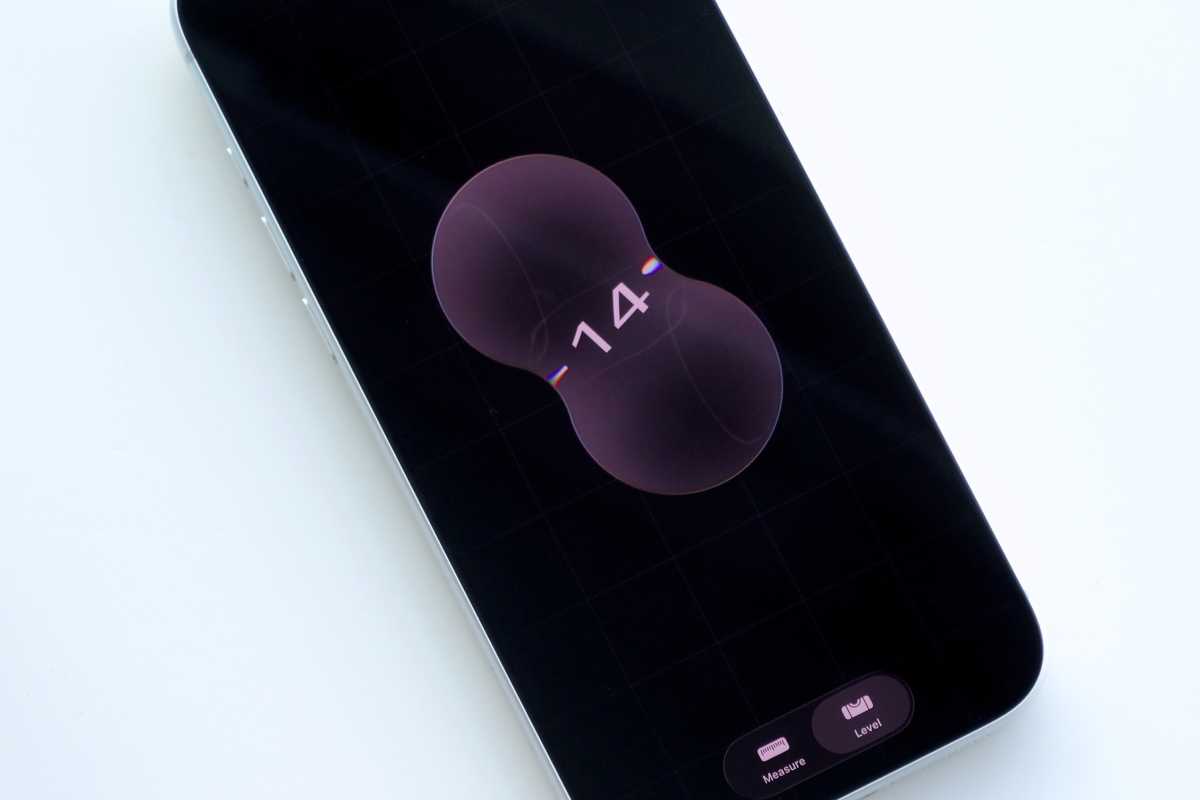
The Liquid Glass aesthetic isn’t confined to the Lock Screen. The Measure app, long overdue for a visual update, has been completely reimagined. Controls, buttons, and panels now boast the same translucent, fluid look, creating a seamless and modern experience. It’s a familiar app, but feels remarkably fresh.
Podcast listeners, rejoice! iOS 26.2 introduces automatic chapter creation. No longer will you need to rely on podcast creators to manually segment their episodes. The system intelligently analyzes transcripts, generating chapters that allow you to effortlessly jump to the moments that matter most. Plus, the app now proactively identifies and links to other podcasts mentioned within an episode.
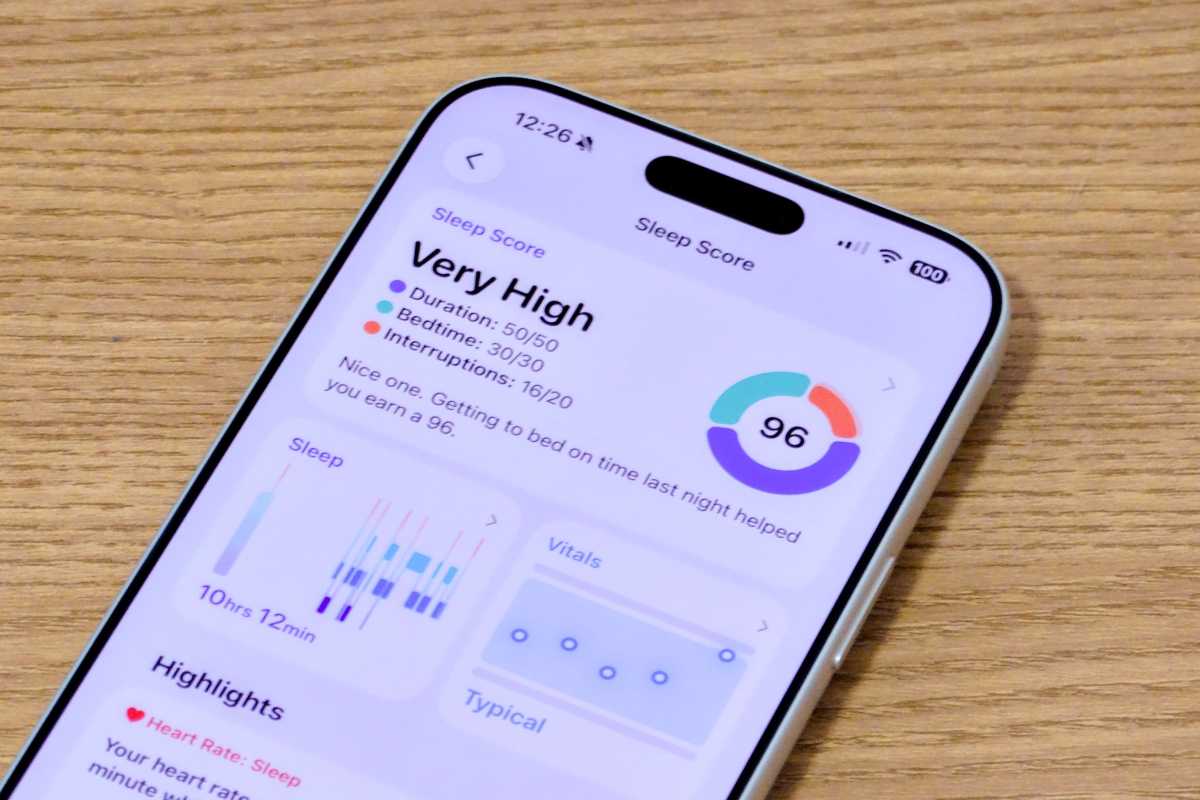
Apple is also refining its focus on wellness. The Sleep Score, introduced in iOS 26, has been recalibrated for greater accuracy. The scoring system now provides a more nuanced assessment of your sleep quality, broken down into clear categories: Very High (96-100), High (81-95), OK (61-80), Low (41-60), and Very Low (0-40). Understand your rest like never before.
Need a reminder that truly demands attention? iOS 26.2 lets you transform standard reminders into full-screen alarms. Instead of a fleeting banner, your reminder will take over the display with a loud, insistent alert – just like a traditional alarm. Snooze it, or dismiss it, but you won’t miss it.
AirDrop just got a significant security boost. When sharing with someone not in your contacts, a unique PIN code will now appear on both devices. This adds a layer of protection, ensuring only the intended recipient receives your files. Once paired, the connection remains active for 30 days, streamlining future transfers.
Apple News users will discover a new level of convenience with dedicated shortcuts. Quick access to Sports, Puzzles, Politics, and Food sections is now available directly from the home screen and Search tab, putting your favorite content just a tap away.
The Freeform app, Apple’s digital canvas for brainstorming and collaboration, gains a powerful new tool: tables. Organize your thoughts, data, and ideas with customizable rows and columns, adding structure to your infinite canvas.
For those in the European Union, a groundbreaking feature has arrived: Live Translation for AirPods. Imagine having real-time conversations with people speaking different languages, with your AirPods seamlessly translating the dialogue. This feature is available on AirPods Pro 3, AirPods Pro 2, and AirPods 4, supporting a wide range of languages including English, French, German, and more.
Updating to iOS 26.2 is simple. Head to the Settings app, then General, and finally Software Update. This isn’t just an update; it’s a refinement of the experience you already love, making your iPhone feel more cohesive, responsive, and enjoyable with every interaction.


