
The modern world demands we look down – at our phones, tablets, and increasingly, laptops. But this constant downward gaze is silently wreaking havoc on our bodies, leading to stiff necks, and even more serious conditions like spinal stenosis, where nerves can become compressed, potentially impacting blood flow to the brain. It’s a hidden health risk many of us don’t even realize we’re facing.
The simple solution? Elevate your screen. Bringing your laptop display to eye level, so your gaze is straight ahead, dramatically reduces strain on your neck, shoulders, and back. This isn’t just about comfort; it’s about protecting your long-term health and well-being. And, surprisingly, it even improves video calls – no more awkward up-the-nose perspectives for your colleagues.
A laptop stand isn’t just an accessory; it’s an investment in your physical health. Beyond ergonomics, a stand creates valuable desk space, making it easier to incorporate a separate keyboard and mouse for a more comfortable and efficient workflow. Some models even cleverly conceal your keyboard underneath the raised platform when not in use.
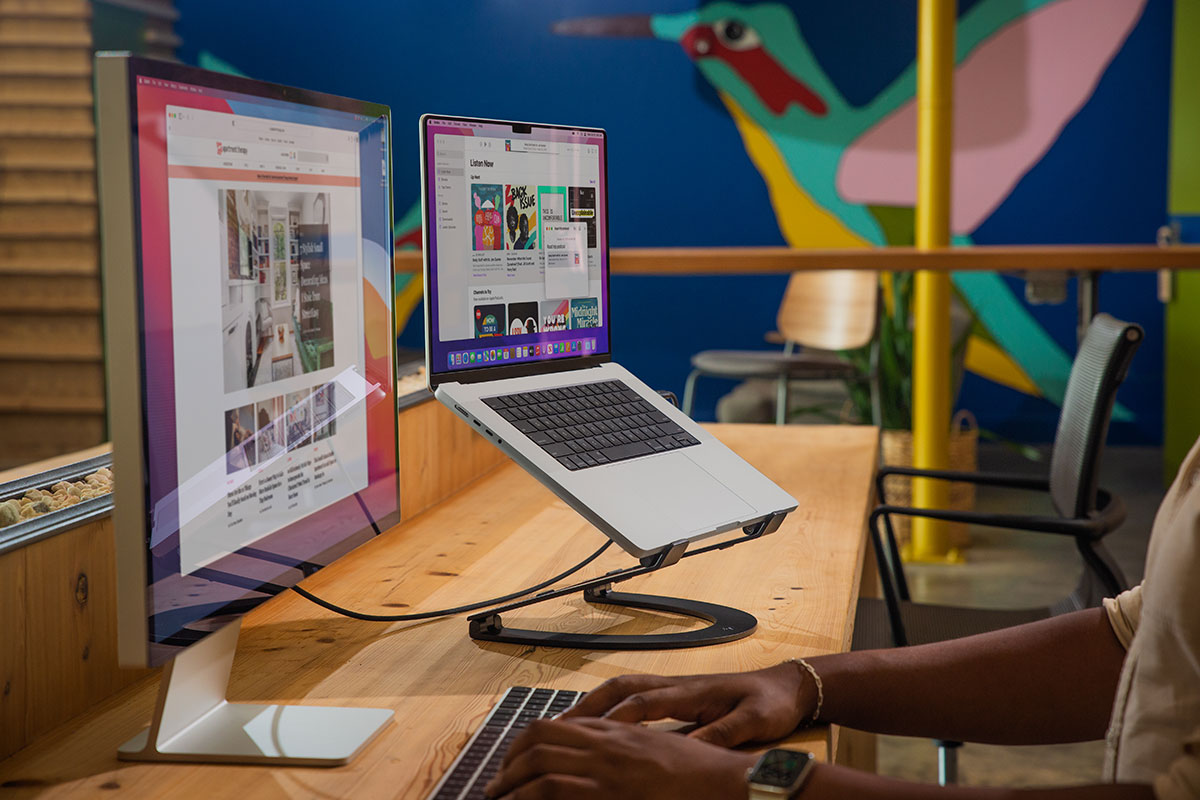
There are two main types of stands to consider. “Open” stands raise your laptop to eye level, providing the most ergonomic benefit by minimizing strain. “Closed” or “vertical” stands, on the other hand, keep your MacBook closed, ideal for those who primarily use external displays and want to minimize desk clutter. The choice depends on your setup and work style.
For those seeking ultimate portability, the Plugable Portable Foldable Laptop Stand is a standout. Collapsing into a remarkably slim package, it easily fits into a laptop bag, making it perfect for remote workers or frequent travelers. While it doesn’t raise the laptop significantly, it still brings the screen closer to eye level, offering a noticeable improvement over a flat surface.
If flexibility is key, the Twelve South Curve Flex is a premium option. Its adjustable height and tilt settings allow you to customize the position for optimal comfort, aligning perfectly with external monitors. Despite its robust features, it remains surprisingly portable, complete with a protective travel sleeve.

For a touch of versatility, consider the Lululook 360 Rotating Foldable Laptop Stand. Its unique rotating base allows you to effortlessly share your screen with colleagues during meetings or presentations, fostering collaboration and streamlining teamwork.
Minimalists will appreciate the Rain Design mBar Pro+, a sleek and stylish stand that also integrates wireless charging for your iPhone. It subtly elevates your MacBook while keeping your mobile devices powered up and within reach, decluttering your workspace.
The Hyperdrive 7-in-1 USB-C Hub Laptop Stand cleverly combines ergonomic elevation with expanded connectivity. This all-in-one solution provides essential ports for peripherals and external displays, streamlining your setup and maximizing efficiency.

When desk space is at a premium, the Twelve South BookArc Flex offers a compact and elegant solution. Designed to hold your MacBook vertically, it frees up valuable real estate while maintaining a clean and organized aesthetic. It’s a perfect companion for a multi-monitor setup.
Don't underestimate the importance of cooling. Laptops can overheat, leading to performance issues. Many stands, like the Bestand Aluminum Cooling Stand, incorporate ventilation features to help dissipate heat and maintain optimal operating temperatures.
Ultimately, choosing the right laptop stand is a personal decision. Consider your work style, portability needs, and aesthetic preferences. But remember, investing in a stand isn’t just about convenience; it’s about prioritizing your health and well-being in an increasingly digital world.


