Since installing macOS Tahoe on my M3 Max MacBook, the device hasn't functioned as expected. Over the past year, my MacBook has experienced frequent freezes, where the trackpad becomes unresponsive and a spinning beach ball replaces the cursor. These occurrences, lasting only a few seconds, have severely impacted my productivity.
After initially identifying the issue through Activity Monitor, which showed a consistent CPU spike in the "core spotlight" task, I attempted various fixes, including restarting my MacBook and updating the operating system. However, the problem persisted, with some updates even exacerbating the issue.
As the problem persisted, I began to suspect that it was related to the installation of macOS 26.5. I also discovered that the Apple Creator Studio version of Pages was experiencing similar issues, which seemed to stem from its use of iCloud as a storage drive.
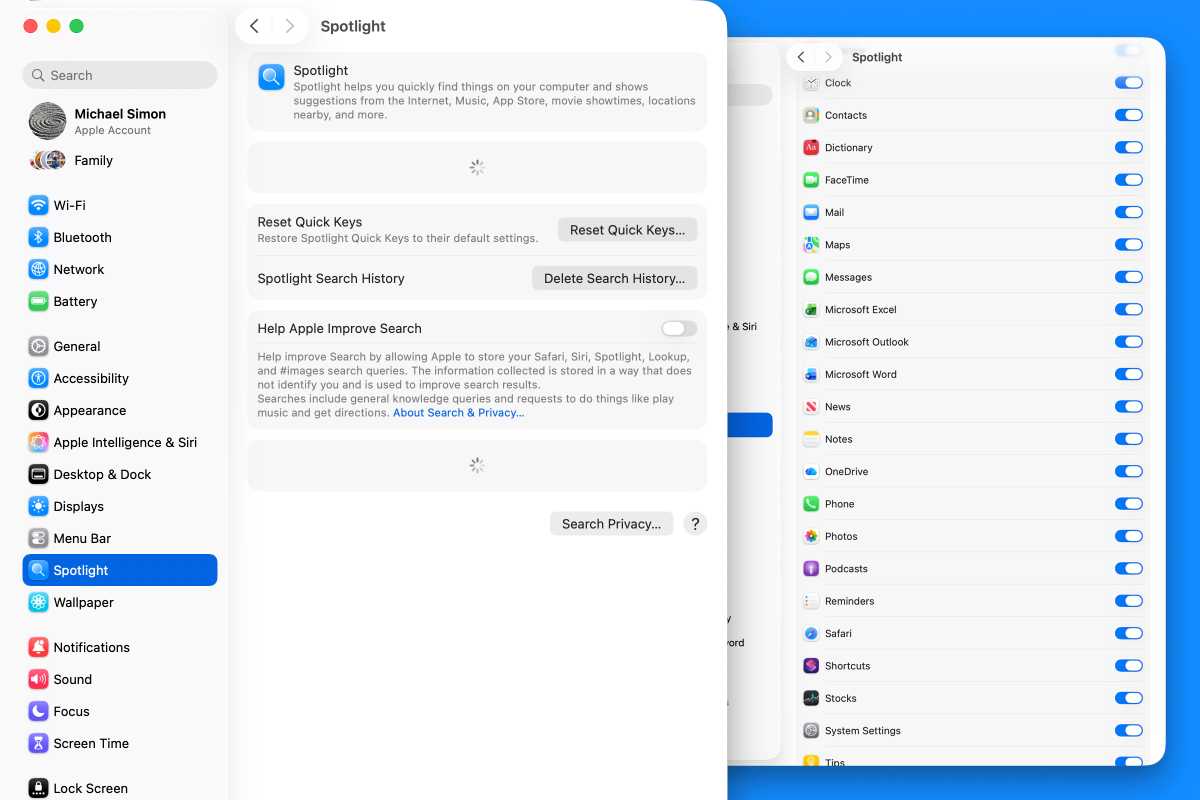
My MacBook's Spotlight settings became unresponsive, making it difficult to troubleshoot the issue. I tried various workarounds, including turning off the Pages toggle in the Spotlight settings and adding the Pages app and its Document folder to the Search Privacy option. However, none of these solutions yielded the desired results.
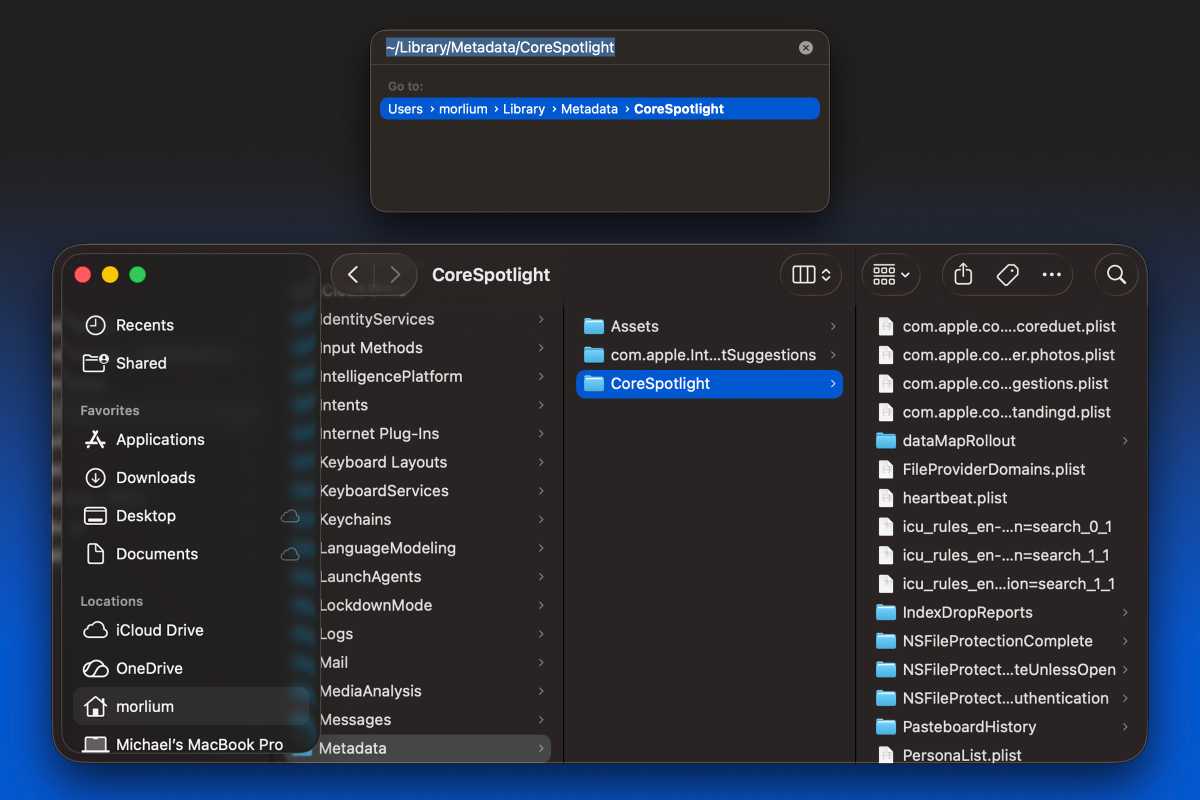
After months of frustration, I decided to take a more drastic approach. I moved the ~/Library/Metadata/CoreSpotlight folder to the Trash, deleting nearly 10,000 files and over 2GB of data. Two weeks later, I'm pleased to report that my MacBook has been functioning smoothly, with no freezes or stuttering.
With the issue resolved, I've been able to flip all of the Spotlight toggles back to green without experiencing any issues. This solution has given me a new lease on life, allowing me to use my MacBook without fear of freezing, and I'm hoping that macOS 27 will be a smoother experience.