For years, expanding your laptop’s connectivity meant choosing between a cheap, limited USB-C dongle or a powerful, expensive Thunderbolt docking station. Now, a compelling alternative is emerging, quietly bridging the gap between price and performance. DisplayLink docking stations utilize clever data compression to deliver many of the benefits of Thunderbolt, all through a standard USB-C connection.
Why consider a DisplayLink dock? They excel in everyday productivity tasks, often proving more stable and affordable than older Thunderbolt 3 docks. They represent a significant upgrade over basic USB-C hubs, offering more functionality for less money. Remarkably, they can even support a greater number of displays than some native Thunderbolt solutions. However, they aren’t designed for the demands of gaming.
The core of a DisplayLink dock’s power lies in its ability to compress data. This allows it to transmit more information through the limitations of a standard USB-C port. Think of it like efficiently packing a suitcase – you can fit more inside by compressing the contents. This compression is seamless; your desktop and applications appear identical, but the technology works tirelessly behind the scenes.

Identifying a DisplayLink dock is simple: look for the distinctive DisplayLink logo. However, vendors often market them simply as “USB-C docks,” so careful reading of the specifications is crucial. The technology is owned by Synaptics, and each dock contains a specialized DisplayLink chip, though manufacturers rarely disclose the specific chip model.
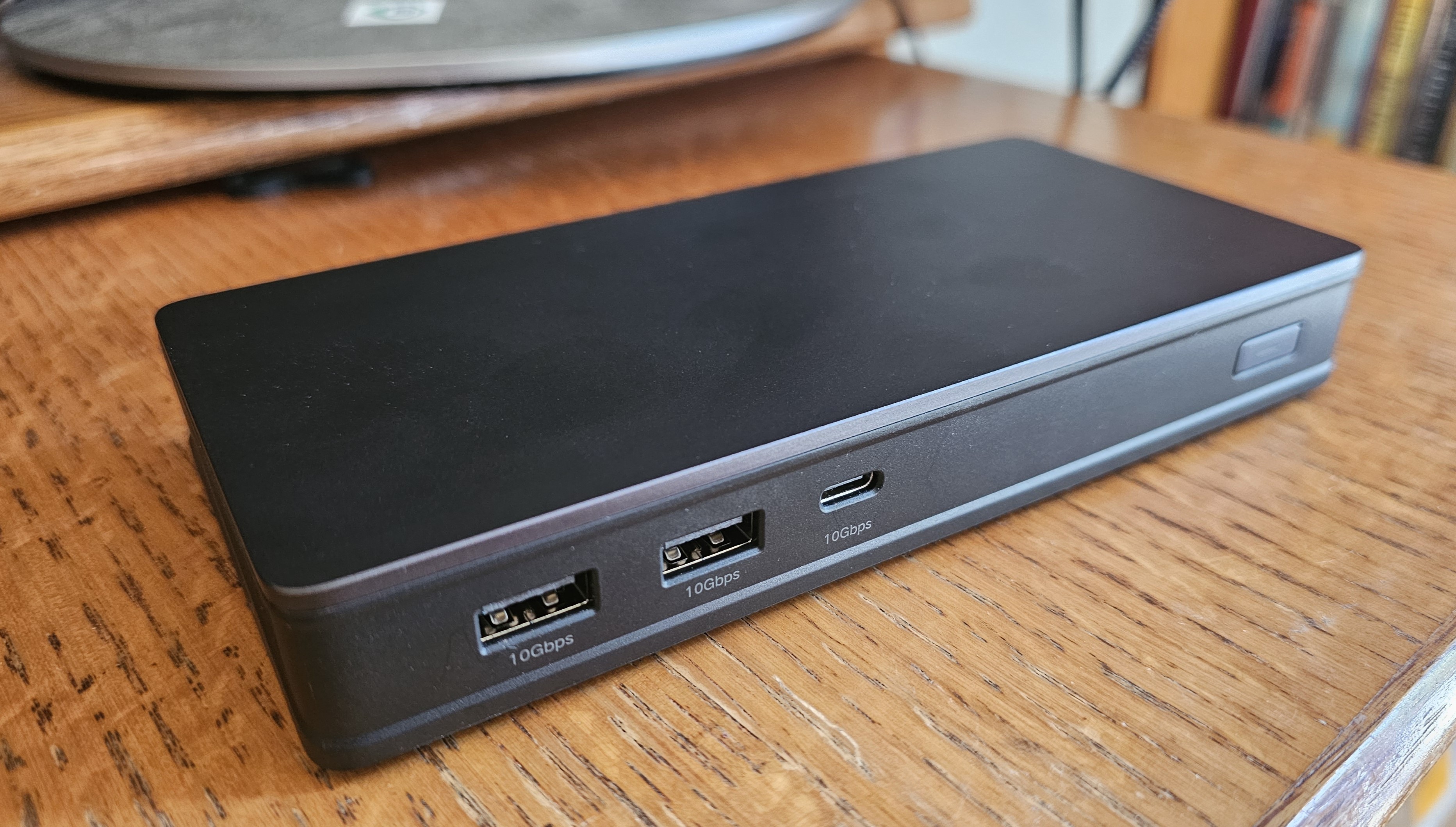
The Ugreen 9-in-1 USB-C (Revodok) Docking Station CM615 stands out as a top pick. It delivers exceptional value, boasting impressive stability and flexible display connectivity, supporting two 4K60 displays. Its ability to accommodate either HDMI or DisplayPort connections allows you to utilize existing cables, saving both money and hassle.
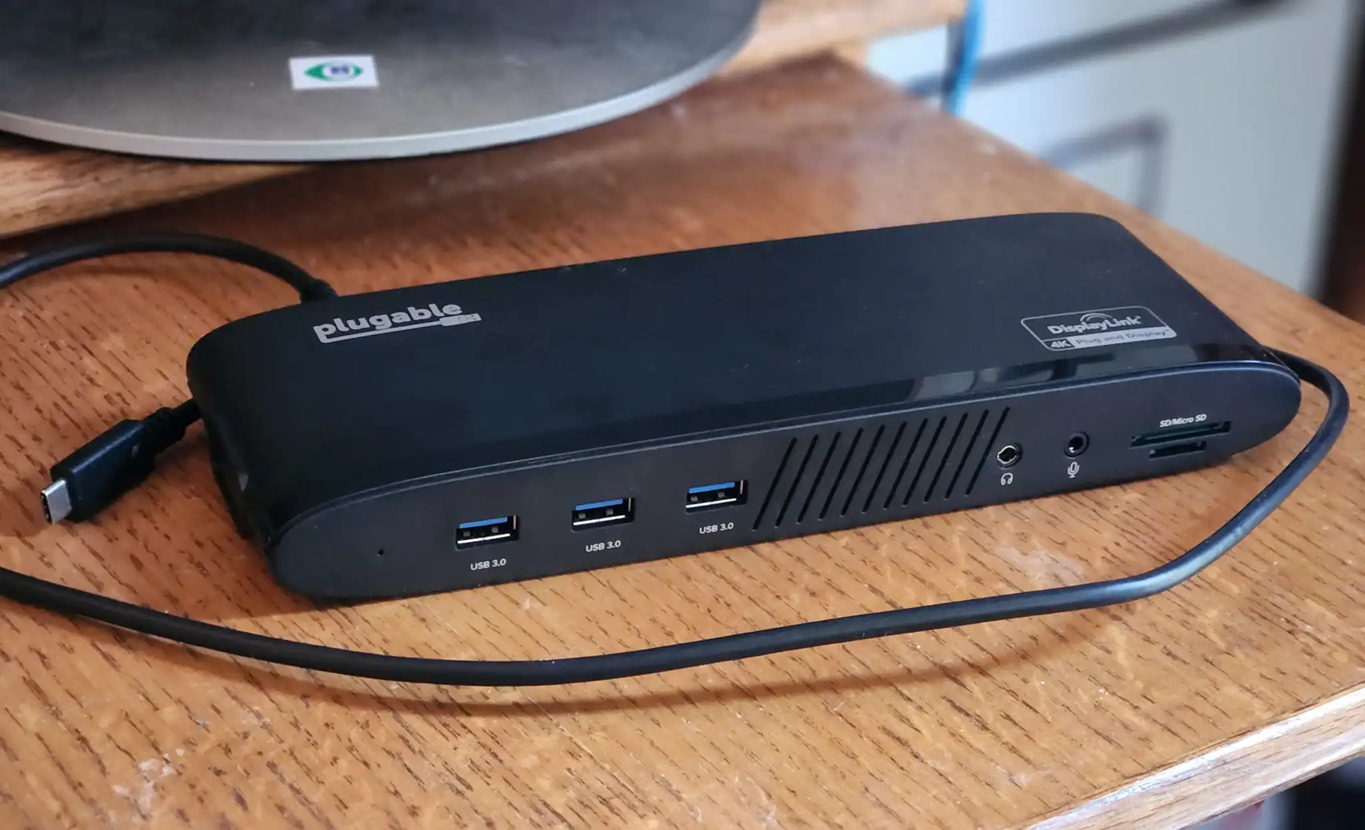
Another strong contender is the Plugable USB-C Dual 4K Display Horizontal Docking Station (UD-6950PDH). This dock is a fantastic choice for home office workers, offering ample USB-A ports, SD/microSD card slots, and 100W of charging power. While marketed towards Mac users with a gray finish, it functions flawlessly with both Windows and macOS systems.
DisplayLink isn’t without its considerations. Unlike USB-C and Thunderbolt, it requires a software driver for full functionality. While installation is generally straightforward, it’s an extra step. More importantly, the technology’s bandwidth limitations mean it’s not ideal for graphically intensive tasks like gaming. Expect stuttering and lag in fast-paced titles.
However, for tasks like email, web browsing, and office applications, DisplayLink shines. Its stability is a significant advantage, often surpassing that of older Thunderbolt 3 hardware. And, surprisingly, DisplayLink docks can often support *more* displays than their Thunderbolt counterparts, though your laptop’s capabilities will ultimately dictate the maximum number.
The technology is constantly evolving. Synaptics’ latest DL-7000 chip promises even faster speeds, and innovations like DSC (Display Stream Compression) with HBR3 offer alternative approaches to maximizing display bandwidth. These advancements are pushing the boundaries of what’s possible with USB-C connectivity.

Testing these docks involves a rigorous process. Physical construction, cord length, and port availability are carefully assessed. Driver installation is verified, and power output is measured using specialized equipment. Real-world performance is evaluated through 4K video streaming, file transfers, and benchmark tests.
So, is a DisplayLink dock right for you? If you’re a professional seeking a cost-effective and stable solution for expanding your laptop’s connectivity, the answer is a resounding yes. If you’re a gamer, a Thunderbolt dock remains the superior choice. But for the vast majority of users, DisplayLink offers a compelling blend of performance, affordability, and versatility.
Here’s a quick guide to common questions: The Ugreen 9-in-1 is currently the top recommendation for overall value. DisplayLink docks require a driver, unlike plug-and-play Thunderbolt. They’re identified by the DisplayLink logo, but often marketed simply as “USB-C docks.” Prices typically range from $125 upwards. And while DisplayLink and DisplayPort are often confused, they are distinct technologies – DisplayPort is a connector and protocol, while DisplayLink is a data compression technology that can utilize DisplayPort over USB-C.
Ultimately, DisplayLink represents a smart solution for unlocking the full potential of your laptop’s USB-C port. It’s a testament to the power of innovation, offering a compelling alternative to the traditional choices and empowering users with greater flexibility and control over their digital workspace.